Add a dimension to an invoice
When you want to add a dimension to an invoice line, it can be done through the "Open dimension selection" button. Clicking the button opens a selection window where you can add the desired cost centers and distribution either by percentage or total. The same can be done for multiple invoice lines through mass editing.
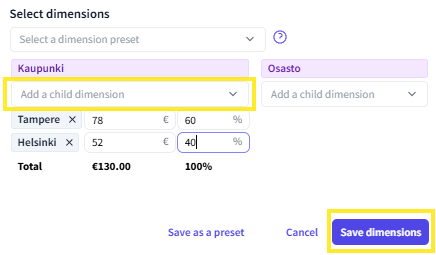
Save dimensions
You can save dimensions so that you don't have to select the desired cost centers and distribution every time. Dimension rules must be specifically saved separately in the FabricAI portal, as we do not receive information directly from the accounting program.
First, set the desired cost centers and distributions in the Select dimensions window and finally choose 'Save as a preset' at the bottom. Once you have saved the dimension rule, adding the correct dimension to an invoice can be done through the same Select dimensions window by selecting the correct dimension rule from the 'Select a dimension preset' dropdown menu.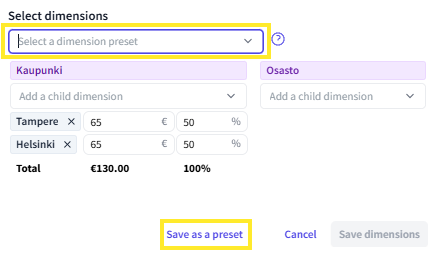
Automate dimensions
If certain invoices always use the same dimension rule, it is possible to create a manual rule in the background that brings the dimension directly to the invoice lines. Please contact customer support at support@fabricai.fi if you wish to set such automation rules.
Did you find it helpful? Yes No
Send feedback