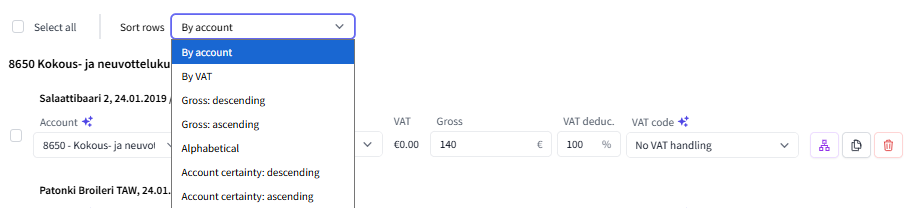
In the FabricAI portal, accounting rows can be sorted by account, VAT, gross total, accounting certainty, or alphabetically. Additionally, there is an option for "original sorting" if it is available on the invoice from FabricAI.
You can change the sorting for each invoice from the middle of the invoice view, before the accounting rows:
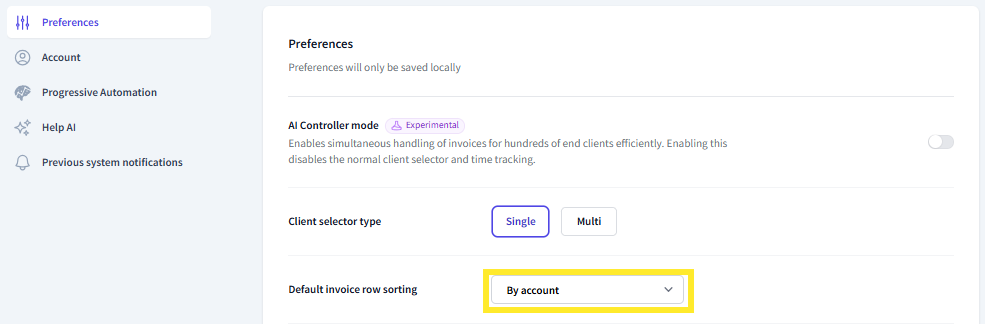
Additionally, you can change the default invoice row sorting for all invoices from the FabricAI portal settings (Settings > Preferences > Default invoice row sorting):
Editing rows when sorted
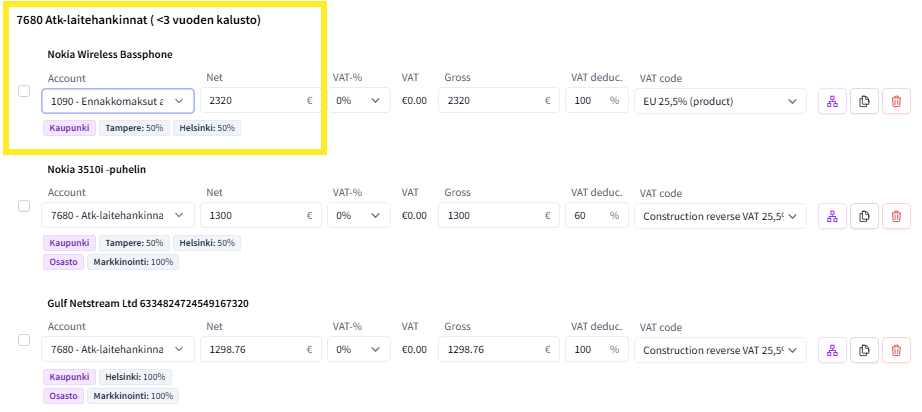
We have received a lot of feedback that the row order should not jump during editing, making it easier to keep track of which rows have already been processed. This is especially important for long invoices. For this reason, updating a single row does not update the row order at the moment of editing, as shown in the example image below. In the example, the row marked in yellow has been successfully changed to account 1090 Prepayments..., but it no longer changes the row order. If you refresh the page, then the order will also change.
Did you find it helpful? Yes No
Send feedback