If the PDF attachment of an invoice looks strange or there are odd characters visible, the issue might be due to a PDF reader problem. Here is an example image of how the invoice might appear:
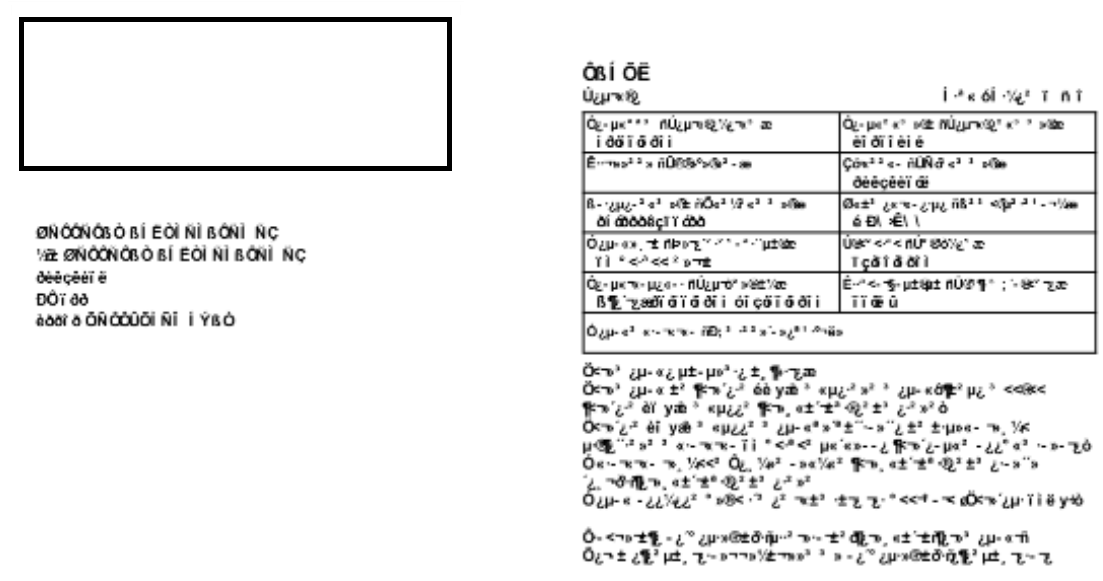
Here are two solutions that usually succeed in fixing the problem:
- As a user, you can enable PDF compatibility mode in the portal, which adjusts PDFs with the reader so that attachments are always visible without issues. You can find the setting at: Settings-> Preferences -> PDF compatibility mode on. Once the setting is enabled, we recommend closing the browser and then continuing with a new window.
This is definitely the most reliable way to ensure PDF attachments are displayed correctly until we have resolved the original issue.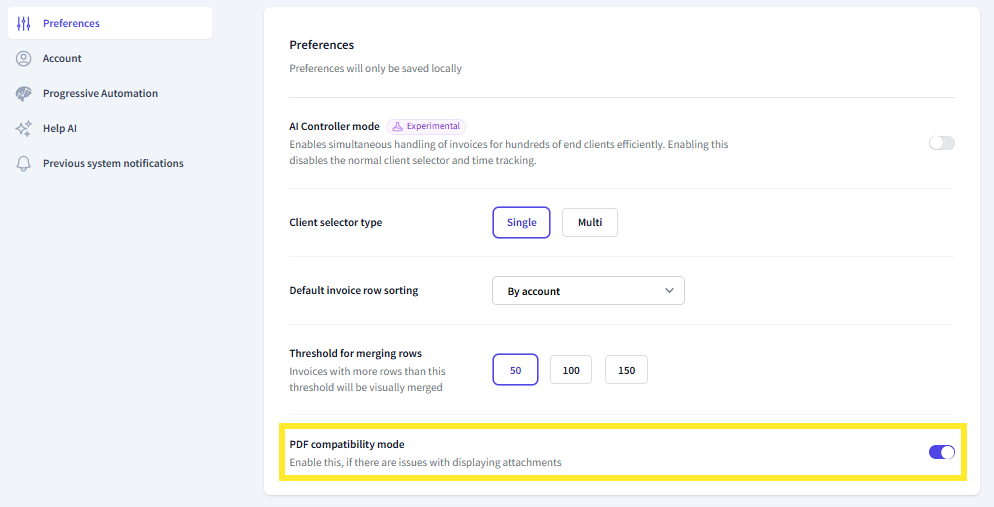
- You can also open an individual invoice in a new window, where the invoice image should appear normally. From the attachment view, click the downward arrow next to Attachment 1/2, which is the "Download attachment" option. The attachment will then open in a new window as downloaded.

We primarily recommend utilizing PDF compatibility mode.
This article has been translated using an AI-based translation tool. The contents or wording of these instructions may differ from those in other instructions or in the software.
Did you find it helpful? Yes No
Send feedbackSorry we couldn't be helpful. Help us improve this article with your feedback.