Have you noticed that an invoice can have multiple attachments also in the FabricAI portal?
All attachments that you find in the accounting software can also be found in the FabricAI portal.
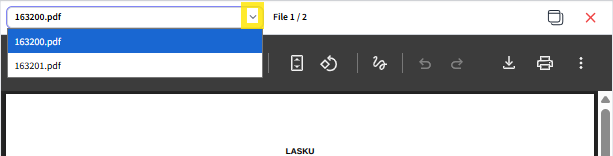
You can browse the attachments by first opening the invoice image and then clicking the small downward arrow next to the attachment name.
Feel free to contact our client support if you notice that any of the attachments have not transferred from the accounting software to the FabricAI portal.
This article has been translated using an AI-based translation tool. The contents or wording of these instructions may differ from those in other instructions or in the software.
Did you find it helpful? Yes No
Send feedbackSorry we couldn't be helpful. Help us improve this article with your feedback.