With the FabricAI portal's substitution feature, substituting for a colleague is easier than ever.
Generally, the intention is that in the FabricAI portal, a user would have access to all accounts of the accounting firm or their own team’s FabricAI clients, but the actual clients to be handled in FabricAI are determined by setting one's own favorite clients. This article provides instructions for selecting favorite clients.
However, often due to illness or vacation absences, a situation arises where one should temporarily handle a colleague's client or clients' invoices in the FabricAI portal. For this purpose, it is easy with the substitution feature to navigate in the client selection to your new "Own team" tab. 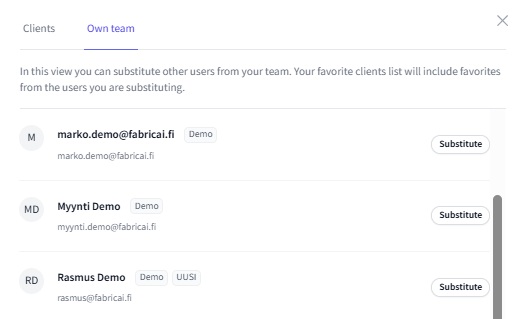
On the Own team tab, you see all other FabricAI users of your accounting firm or team. By clicking "Substitute" next to a user, you can also select a colleague's favorite clients to be visible in your client selection with one click.
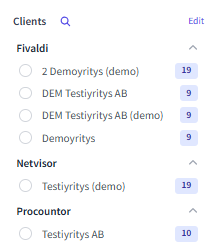
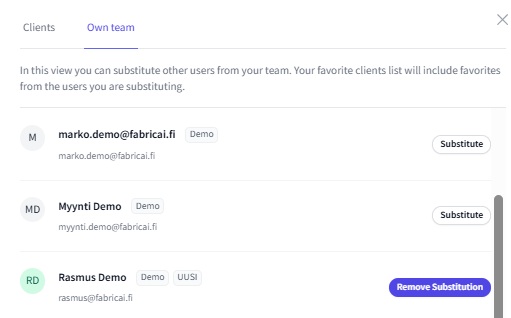
Once you have done this, your client list will also include your colleague's clients, which are marked with a green dot to easily distinguish them from your own clients. When you want to end the substitution, you can navigate back to the "Own team" tab and click "Remove substitution," which will remove your colleague's favorite clients from your client list.
Did you find it helpful? Yes No
Send feedback