Help AI -function was expanded on November 6, 2025, allowing AI to be instructed in setting circulation lists. Read more about the Help AI function here. This extension is intended for clients using the 'Alternative with circulation' process (read more about processes here.)
Setting the default circulation
We always recommend automating the default circulation first, even if the client has multiple circulation lists. The default circulation should be set to the one used most often, and then utilize the Help AI function for other circulations.
The default circulation can be set in the FabricAI portal as follows:
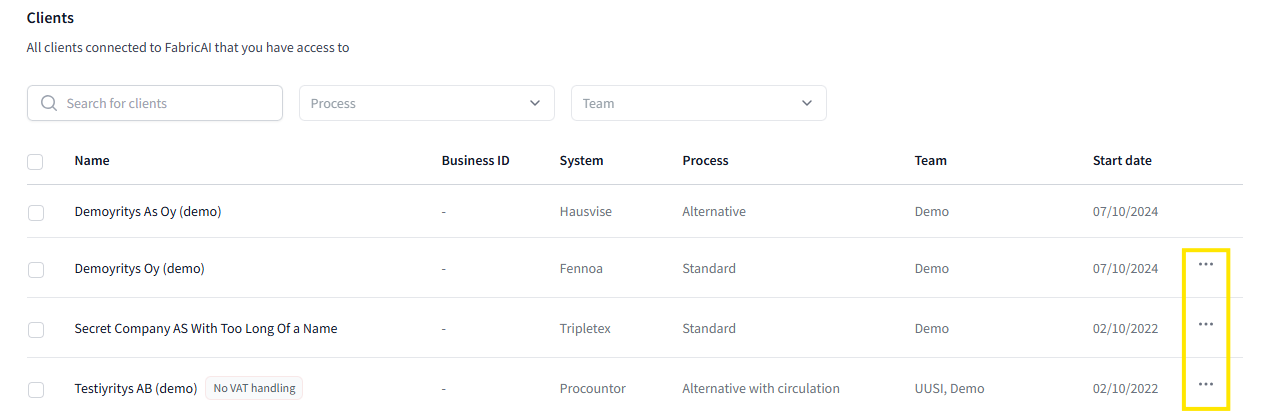
1. Go to the Organization tab and open the Clients view from the left.
2. Click the button with three dots on the right side of the desired client:
3. Select the desired circulation list in the "Default circulation list" section
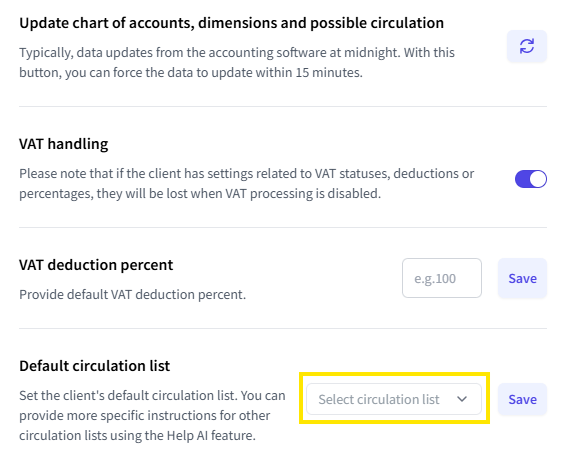
4. Click "Save"
Automating circulations with the Help AI function
When you want to create a help instruction for AI related to circulations, follow these steps:
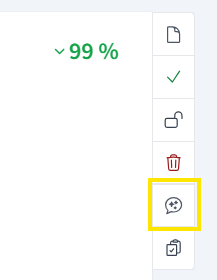
1. Open the Help AI function from the selected invoice
2. Go to the Circulation list tab.
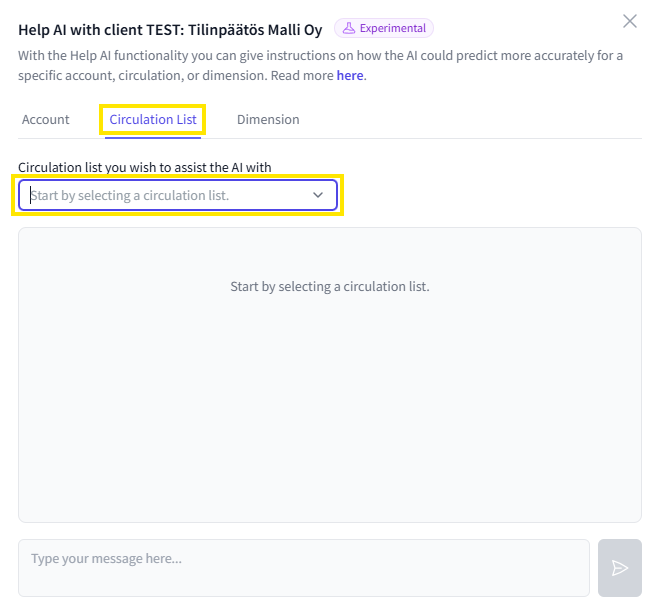
3. Select from the dropdown menu the circulation list you want to automate. You can write a help instruction for AI in the same way as when guiding an account. Additionally, specifically for circulations, AI can be instructed based on the predicted dimension or account, for example, with such help instructions:
a. Cost center is "4500 Helsinki"
b. Account is 4110
4. After writing the help instruction, check from AI's response that the instruction is understood correctly. If necessary, rephrase the instruction.
5. When you are satisfied, select Save
Did you find it helpful? Yes No
Send feedback