If you want to completely remove a client from FabricAI, follow these steps:
1. Close the interface on the accounting software side
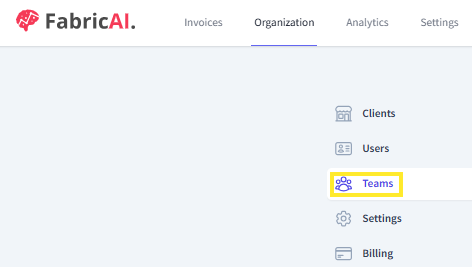
2. Remove the client from the team in the FabricAI portal (note: requires FabricAI admin rights)
-> go to the Teams menu on the Organization tab in the FabricAI portal
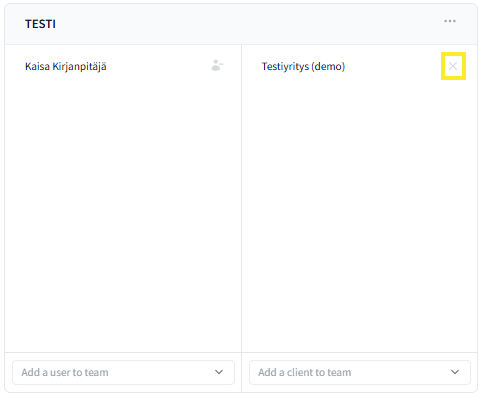
-> remove the desired client by clicking the checkbox from the team
Note! If the accounting software is Fennoa, the client must still be removed by FabricAI support. In this case, please notify us of the client to be removed at support@fabricai.fi
This article has been translated using an AI-based translation tool. The contents or wording of these instructions may differ from those in other instructions or in the software.
Did you find it helpful? Yes No
Send feedbackSorry we couldn't be helpful. Help us improve this article with your feedback.