Tax rate settings in Fivaldi
To ensure FabricAI works optimally with Fivaldi, it is important that the tax rates are set in Fivaldi according to the following points. Please note that these settings are available only in Finnish in Fivaldi. Following the Finnish instructions may be easier for this part.
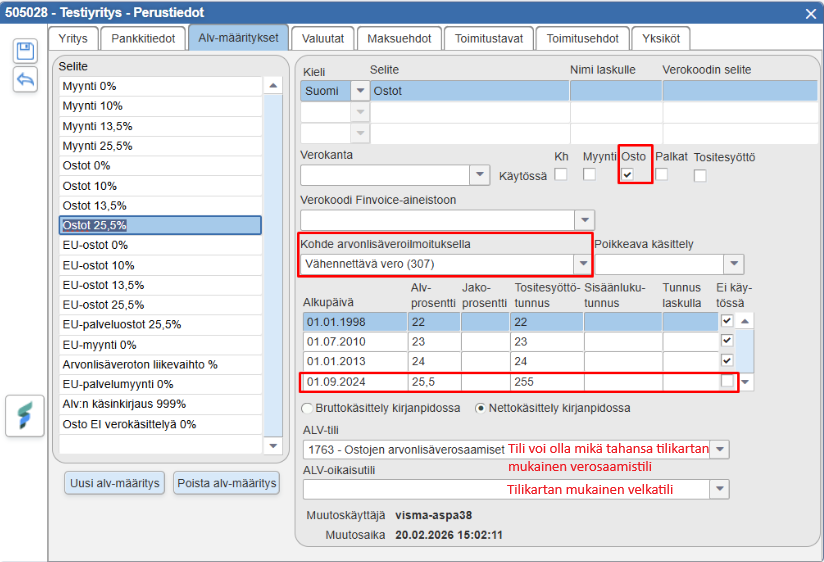
General deductibility from domestic purchases
In use: at least Purchases
Target on periodic tax return: Deductible tax (307)
Exceptional handling: Empty
Start date: Any date in the past, check other rows “Not in use”
Vat percentage: 25.5 (or 10/13.5 according to the vat rate)
Not in use: Empty
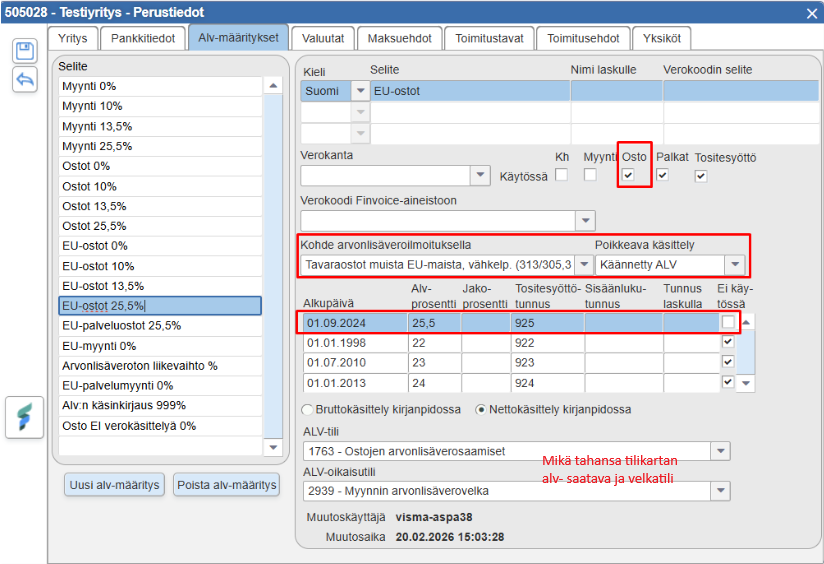
Purchases from other EU countries
In use: at least Purchases
Target on periodic tax return: Goods purchases from other EU countries, deductible (313/305, 307)
Exceptional handling: Reverse VAT
Start date: Any date in the past, check other rows “Not in use”
Vat percentage: 25.5 (or 10/13.5 according to the vat rate)
Not in use: Empty
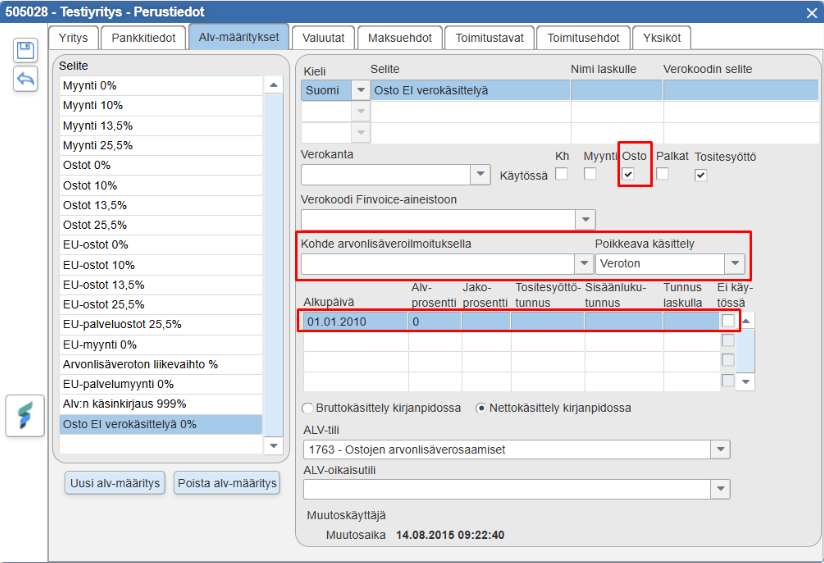
Non-deductible purchase or tax-free purchase, no tax handling
In use: at least Purchases (NOTE! Although the image below has a check for voucher entry, this is not a requirement)
Target on periodic tax return: empty
Exceptional handling: Tax-free
Start date: Any date in the past
Vat percentage: 0
Not in use: Empty
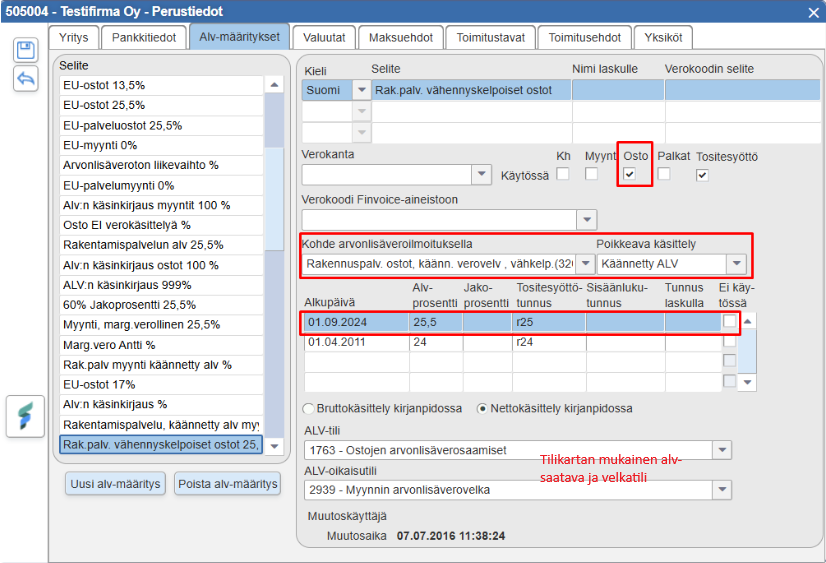
Construction service purchases, reverse tax liability
In use: at least Purchases - check
Target on periodic tax return: Construction service purchases, reverse tax liability, deductible (320/318,307)
Exceptional handling: Reverse vat
Start date: Any date in the past, check other rows “Not in use”
Vat percentage: 25.5
Not in use: Empty
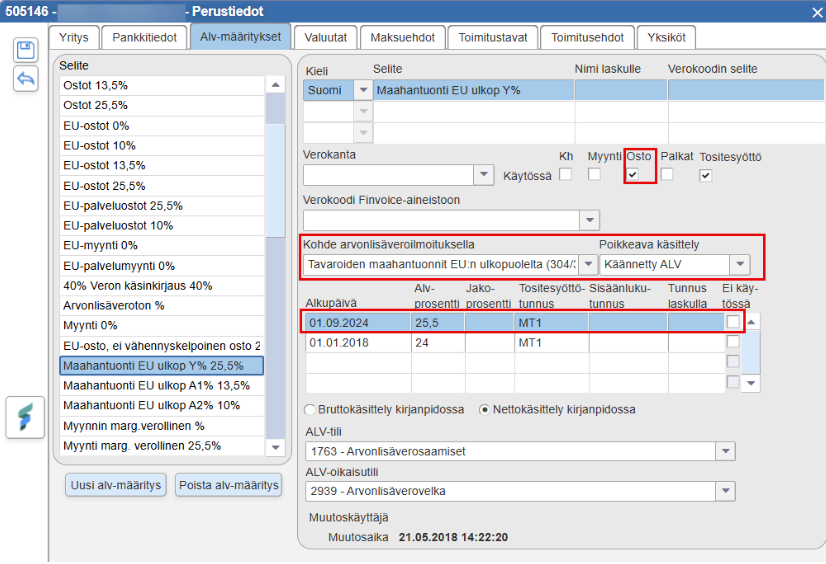
Import from outside the EU area
In use: at least Purchases
Target on periodic tax return: Imports of goods from outside the EU (304/310)
Exceptional handling: Reverse vat
Start date: Any date in the past, check other rows “Not in use”
Vat percentage: 25.5 (or 10/13.5 according to the vat rate)
Not in use: Empty
Special situations: Gross handling
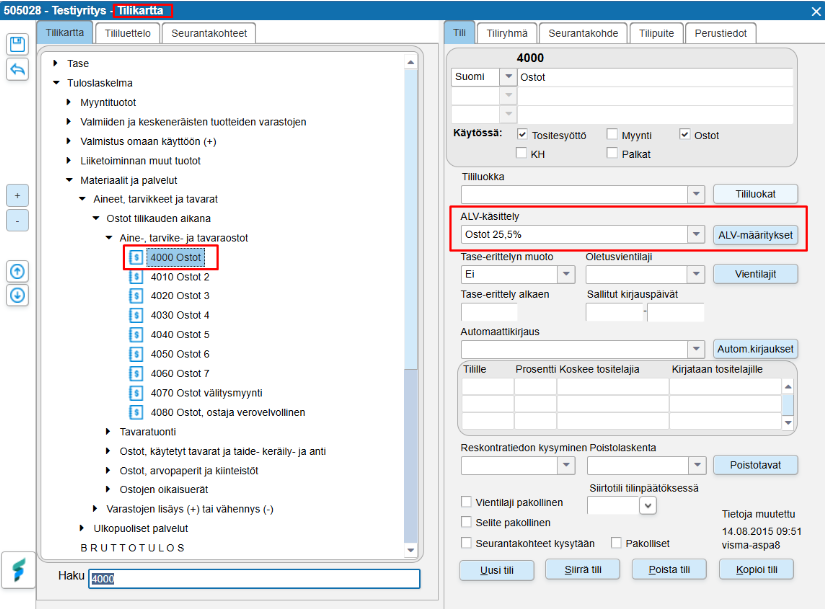
If the company uses gross handling, the tax is not recorded in Fivaldi on a voucher basis in the accounting. The gross handling vat entry records the tax to the accounting account according to the tax rate defined in the chart of accounts. Changing the tax handling on the purchase invoice does not change the tax entry itself, but only changing the account affects the tax handling in this case. When using gross handling, it is therefore of primary importance that the appropriate tax rate is selected for the accounting accounts and that there are separate accounts for different tax rates in the chart of accounts.
Tax rates do not differ from the normal tax rate except for the Gross handling in accounting selection and the VAT adjustment account, which should be an expense account in the income statement.
Since the circulation of purchase invoices requires a tax rate for each row in Fivaldi to function, you can use, for example, the “Purchases 0%” tax rate that comes with the default settings of Fivaldi's chart of accounts in all invoices using gross handling. This tax rate is mainly found in all Fivaldi default charts of accounts. The tax rate should then be defined as follows:
In use: at least Purchases
Target on periodic tax return: Deductible tax (307)
Exceptional handling: Empty
Start date: Any date in the past
Vat percentage: 0
Not in use: Empty
Gross handling selected in accounting
Did you find it helpful? Yes No
Send feedback