Please note that the settings mentioned in this article are only available in Finnish in Fivaldi. It might be easier to follow the Finnish instructions on this part.
If you want to create a situation where an invoice is sent directly to the FabricAI portal upon its arrival for a Fivaldi customer (e.g., for the accounting firm's own invoices), proceed as follows:
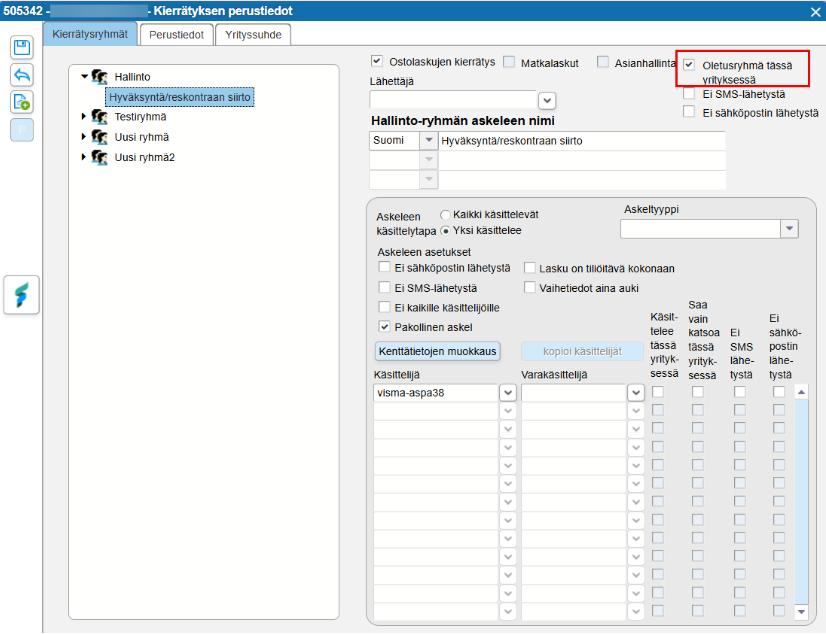
- Set up the circulation group with only 1 step and make it the default group (top right corner of the image below)
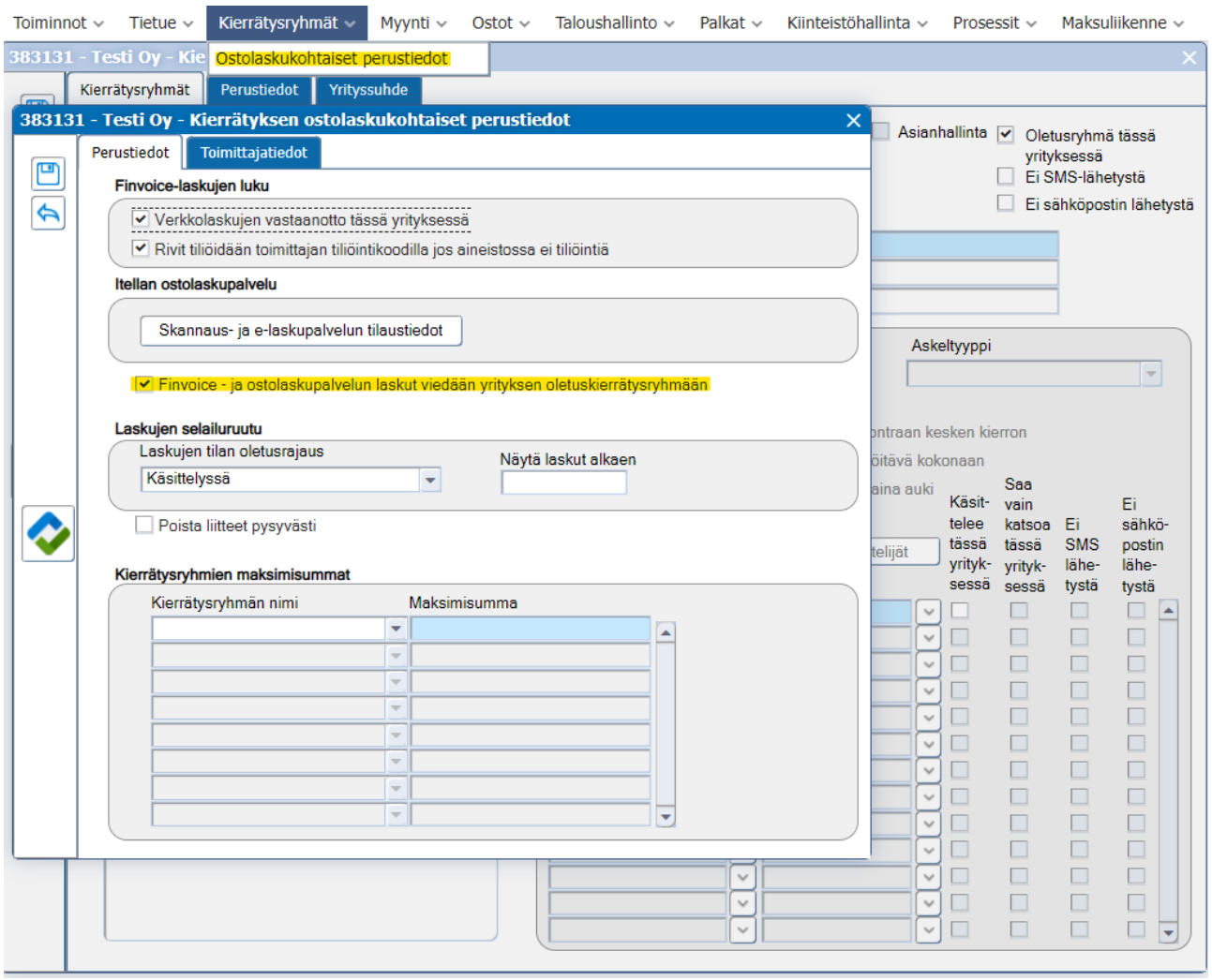
2. Ensure that the checkbox “Finvoice and purchase invoice service invoices are transferred to the company's default circulation group” is selected
This article has been translated using an AI-based translation tool. The contents or wording of these instructions may differ from those in other instructions or in the software.
Did you find it helpful? Yes No
Send feedbackSorry we couldn't be helpful. Help us improve this article with your feedback.