From February 20, 2025, the sending of purchase invoice rows combined became possible from the FabricAI portal to Hausvise. NOTE! Although merging is possible, we do not recommend doing it at all. However, if it is necessary to proceed this way, we recommend that merging is done only when it is truly mandatory.
In practice, merging is only possible in FabricAI automatically through settings. This means that manual merging of lines is not possible. Additionally, for merging to work, 'disable invoice rows' must also be active behind the supplier in Hausvise. If the lines are merged only in FabricAI without the aforementioned Hausvise setting, the reduction will not go through and the invoice will be released with empty original accounting lines to the Received folder in Hausvise. Conversely, the rows will not go merged to Hausvise with only the Hausvise setting. If 'disable invoice rows' is active behind the supplier in Hausvise and the row merging setting is not used in FabricAI, the accounting lines will come to Hausvise as row-level lines formed from the total sum of the invoice.
Merging in practice
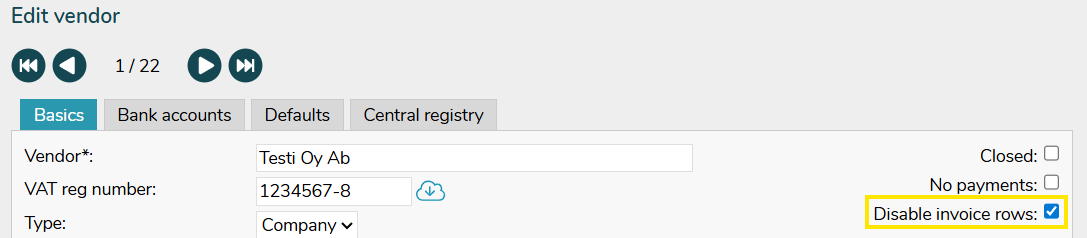
On the Hausvise side, in the section Control data > Suppliers, select "Disable invoice rows".
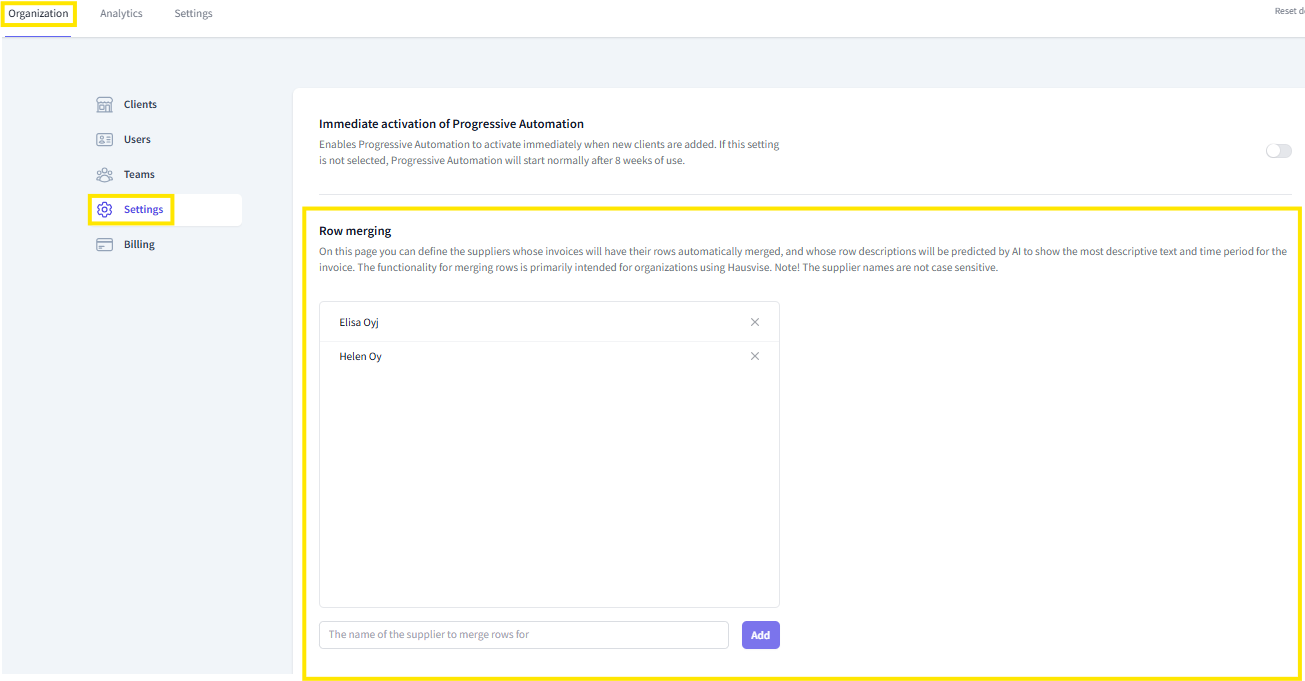
On the "Organization" tab of the FabricAI portal, in the "Settings" menu under "Row merging" section, the organization admin can define for all suppliers that have passed through the hosting office's FabricAI, those suppliers for whom the lines are automatically reduced for all hosting office sites before the invoices rise to the FabricAI portal.
Row descriptions on combined invoice lines
Artificial intelligence predicts for combined invoice lines in the manner of this guide a row description that better describes the content of the invoice instead of the previous "supplier, invoice number" combination. Additionally, the row description always generates the corresponding booking month or accrual interval through the correct channel.
Did you find it helpful? Yes No
Send feedback