Please note that the settings mentioned in this article are only available in Finnish in Fivaldi. It might be easier to follow the Finnish instructions on this part.
For real estate clients in Fivaldi, the "No VAT handling" option is not always automatically available, but it can be manually created. This should be activated for purchases to ensure the successful accounting of invoices in the FabricAI portal. If there is no tax rate, tax-free invoices will fail.
You can create a new tax rate in Fivaldi on the VAT settings tab as shown in this image:
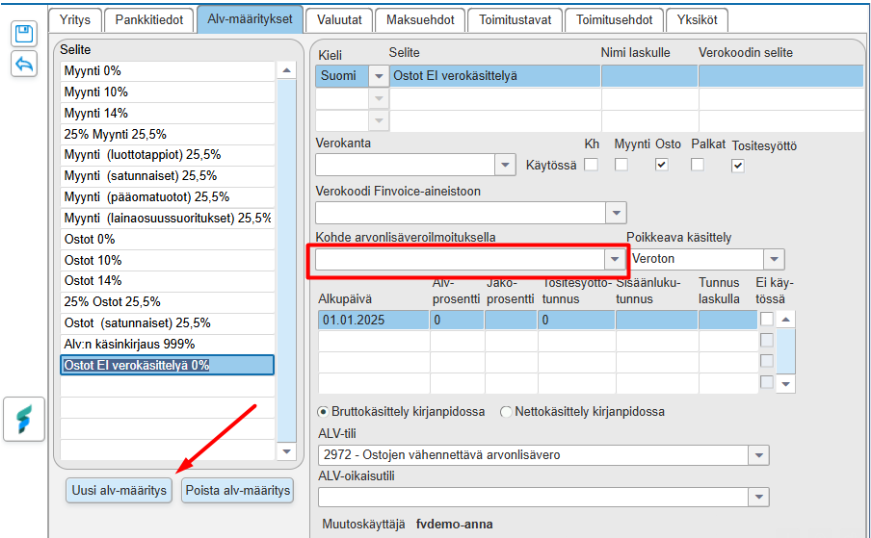
When the "Target on the VAT declaration"(Kohde arvonlisäveroilmoituksella) field is left empty, this VAT handling will not appear on the VAT calculation at all, meaning it will not extend the VAT calculation.
Did you find it helpful? Yes No
Send feedback