At the end of October, it became possible for Hausvise customers to add dimensions to accounting rows in the FabricAI portal.
The dimension selection window opens from its own button either 1. from the right side of the accounting row or 2. through the mass editor. Read more about the functionality here.
1. (you can quick-select a dimension from the bottom "Add dimension" button)
2.
Currently, it is not possible to add more than one dimension level information to a single invoice line, meaning that if two different dimension levels "city" and "project" are defined in the background of the item, it is not possible to add both.
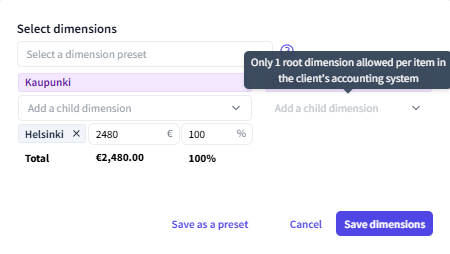
However, it is possible to add dimensions of the same dimension level by dividing multiple with percentage ratios:
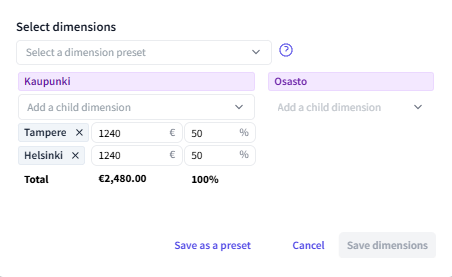
If the same percentage distribution is used for frequently recurring invoices, the allocation can be saved in the dimension selection box, and automation rules can also be set in the background. Read more about allocation rules here.
FabricAI can also predict dimensions. Read more about dimension predictions here.
Did you find it helpful? Yes No
Send feedback