Please note that the settings mentioned in this article are only available in Finnish in Fivaldi. It might be easier to follow the Finnish instructions on this part.
To ensure that purchase invoices follow the FabricAI standard process, changes may need to be made to the customer's purchase invoice circulation (recycling groups). If the customer's default recycling group already complies with this guideline, no changes are required. If not, we recommend creating a completely new default recycling group for the customer as described below. NOTE! If the intention is still to manually direct invoices to circulation on the Fivaldi side, you can skip directly to section 2. Editing recycling group(s).
1. Directing the invoice to the customer
If possible, it is advisable to direct invoices directly to the customer, so that from the accounting firm's perspective, the purchase invoice only needs to be processed once – when transferring to the ledger in the FabricAI portal.
Purchases – Recycling groups:
First ensure that the invoice in circulation is not restricted to all handlers.
In this section DO NOT select: "Not for all handlers".
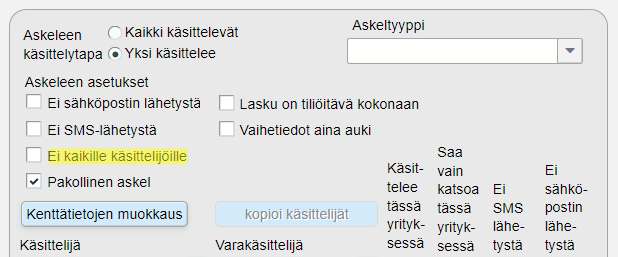
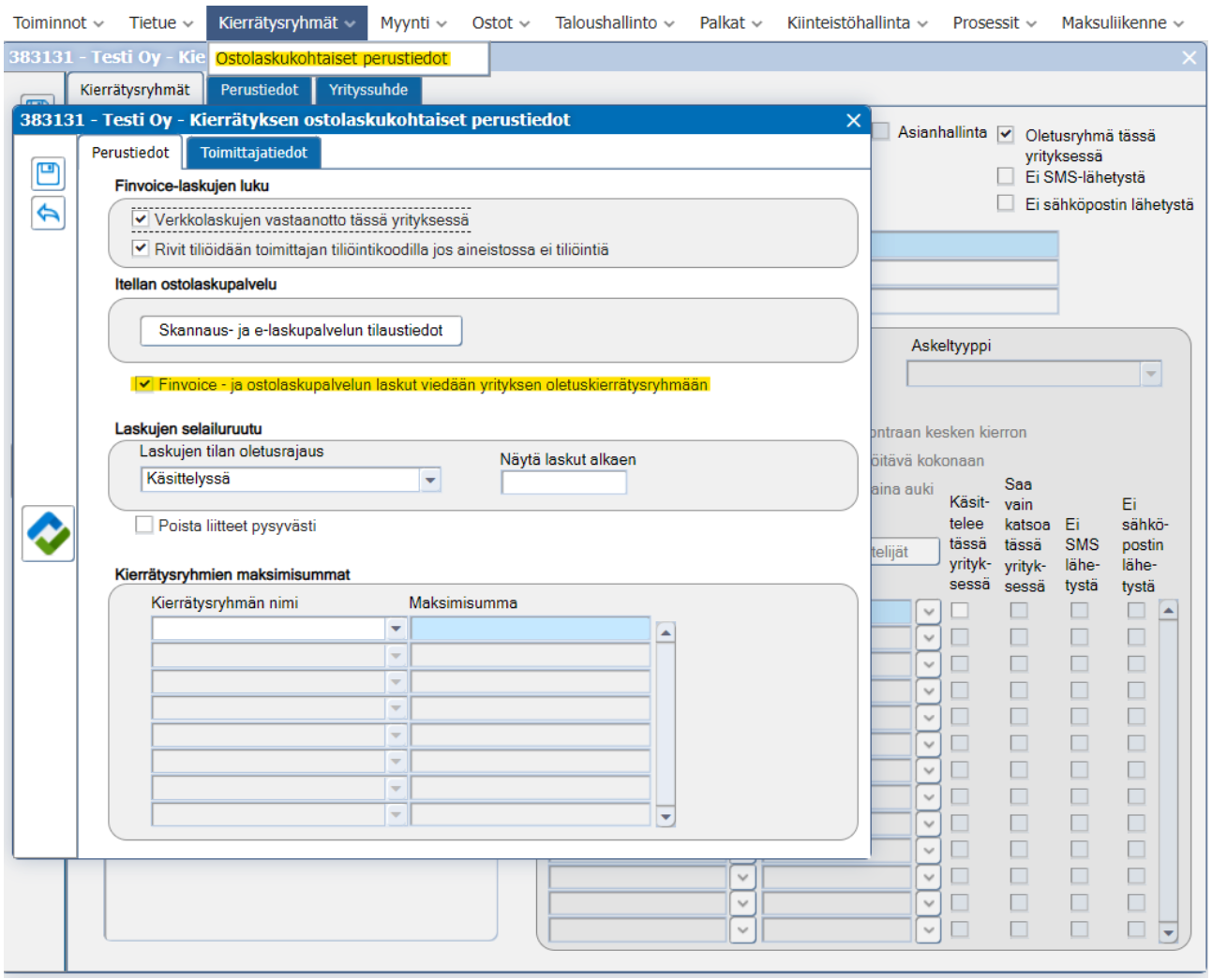
Purchases – Recycling groups – Recycling groups (top) – Purchase invoice specific basic information:
Check "Finvoice and purchase invoice service invoices are taken to the company's default recycling group"
2. Editing recycling group(s)
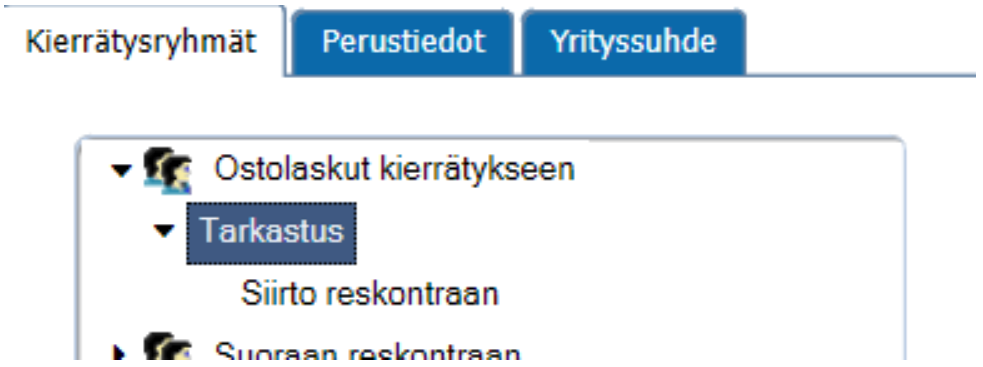
To ensure the invoice is raised at the correct stage after customer approval to FabricAI, the last step of the recycling group (or each utilized recycling group) must be the accounting firm's accountant.
The simplest version is to define the circulation so that the recycling group has only two steps: the first step for customer review/approval and the second for the accounting firm's accountant for accounting processing, as below.
Did you find it helpful? Yes No
Send feedback