A new experimental feature was added to FabricAI at the end of June 2025, allowing you as a user to help the AI with natural language, especially in cases where the AI struggles to get the account or dimension prediction right even after a couple of months of use. Additionally, the feature can automate circulations if the 'Alternative with circulation' process is in use. The feature is currently client-specific, but our goal is to later implement the possibility to create help instructions for multiple clients at once.
How to use the feature?
When the feature is enabled, you will find a new button on the right side of the invoice buttons, as shown in the image below
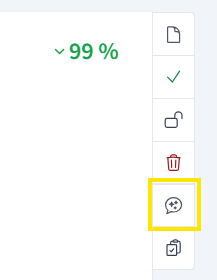
By clicking the aforementioned button, you open the "Help AI" editor. At the top of the editor, you can select the correct tab according to whether you want to create a help instruction for guiding the account, circulation, or dimension.
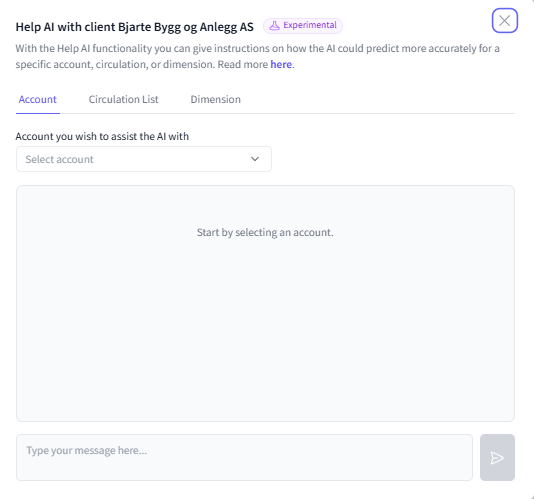
How to use the feature: Account?
First, select the account you wish to assist the AI with and then write the help instruction for AI
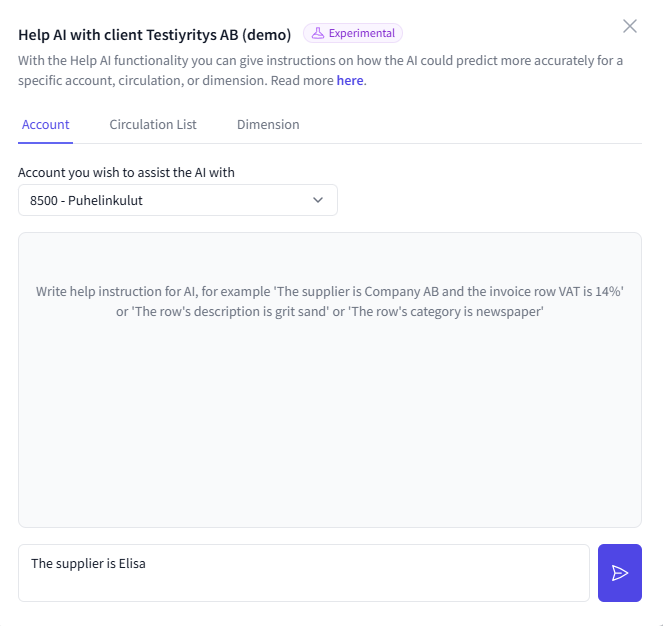
Then click the send button on the right side of the text field. The AI will think for a moment, after which you will see from the response in the conversation how the AI understood your instruction. The purpose of this is to ensure that the AI understands your help instruction.
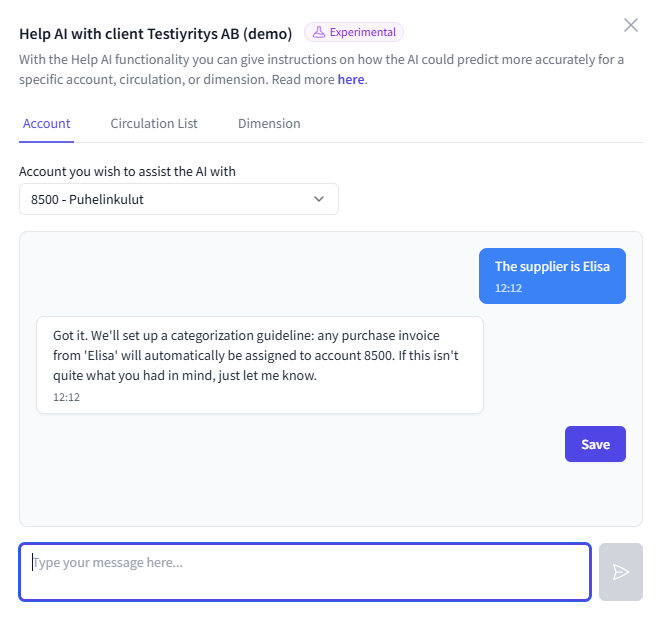
If you are satisfied with the refined help instruction, click "Save," after which you will see a confirmation of successful saving on the right side of the FabricAI portal.
Before saving, you can also add new criteria to the conversation.

What can the feature do?
The feature is still being developed, but for now, the AI can be guided to account based on the following information:
- Invoice-specific:
- Supplier
- Word in the attachment
- VAT
- Line description
- Line category
- Line-specific
- Line VAT
- Line description
- Line category
Multiple criteria can also be defined in the same instruction, e.g., supplier and line description.
Starting from 6.11.2025, the AI can also be guided to set circulation lists. Read more about this use case here.
Starting from 2.1.2026, the AI can also be guided to set dimensions. Read more about this use case here.
Considerations
- If after refining your help instruction, it sounds completely different from what you intended, do not save the help instruction, but try to rephrase it
- The AI currently does not understand negations, so always tell how the account should be used (i.e., what or how it should be accounted for), and not how the account should not be used or what products/services should not be accounted for
Reviewing and removing saved instructions
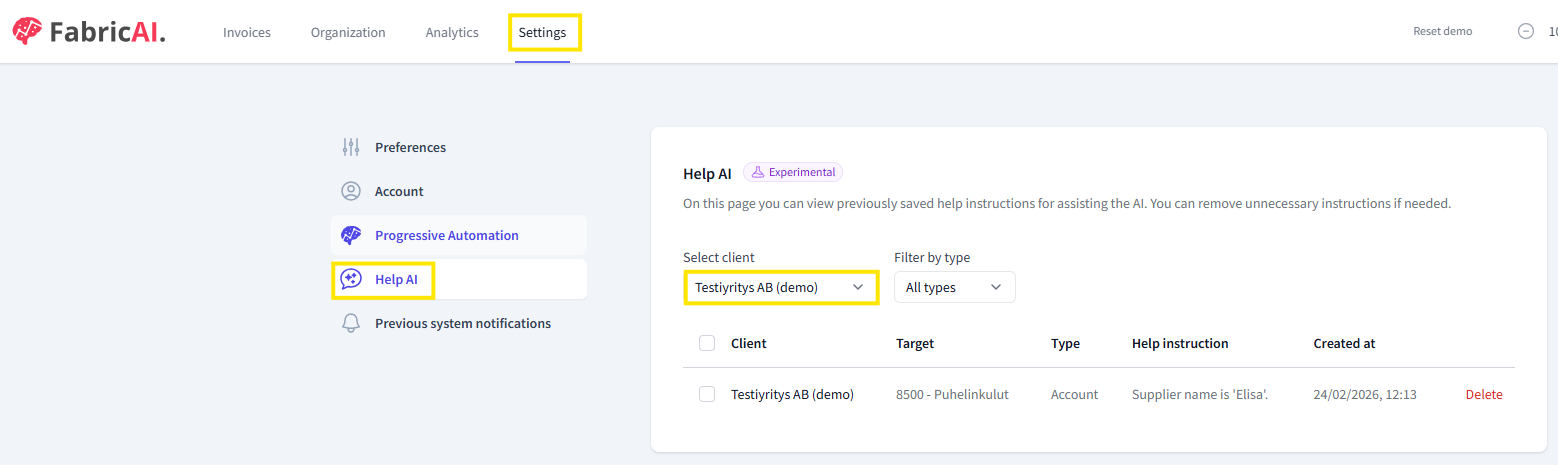
If you want to later review what instructions have been saved for the client or remove them, go to the "Settings" tab in the FabricAI portal and select "Help AI" from the left side menu. The saved instructions will be listed in this view, and you can remove them individually from the right side of each instruction.
Did you find it helpful? Yes No
Send feedback