What is AI Controller mode and why?
AI Controller mode was released on March 28, 2025, in FabricAI. AI Controller mode was developed to meet the need where there are many clients (several tens, hundreds, or even thousands) processed in FabricAI, and clients are desired to be handled in bulk without having to select favorites or constantly update client selections in the sidebar on the right side of the FabricAI portal.
NOTE! To ensure AI Controller mode works as intended, we recommend that clients are clearly divided into different teams on the "Organization" tab.
How to enable AI Controller mode?
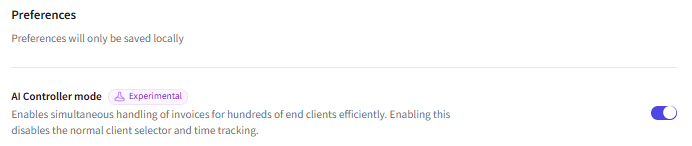
After logging into the FabricAI portal, select "Settings" from the top left. The settings will open to the "Preferences" view. At the top of the settings is "AI Controller mode." Check the selection bar on the right, as shown in the picture, to enable the mode.
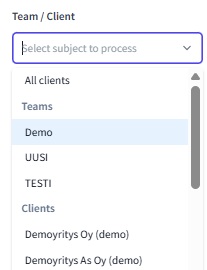
When the mode is selected and you return to the "Invoices" tab, the sidebar on the right will look slightly different, as the usual client selector has been changed to the selector shown below. Practically, you can now select active (i.e., fetch pending invoices for clients into the queue)
a) All clients you have access to with your username
b) Clients of a specific team
c) Your desired client
 When you have selected, for example, a specific team as active, you will see all invoices in the "Pending" status for clients of that team in the invoice queue. You can also view invoices in the "Failed" status for all these clients.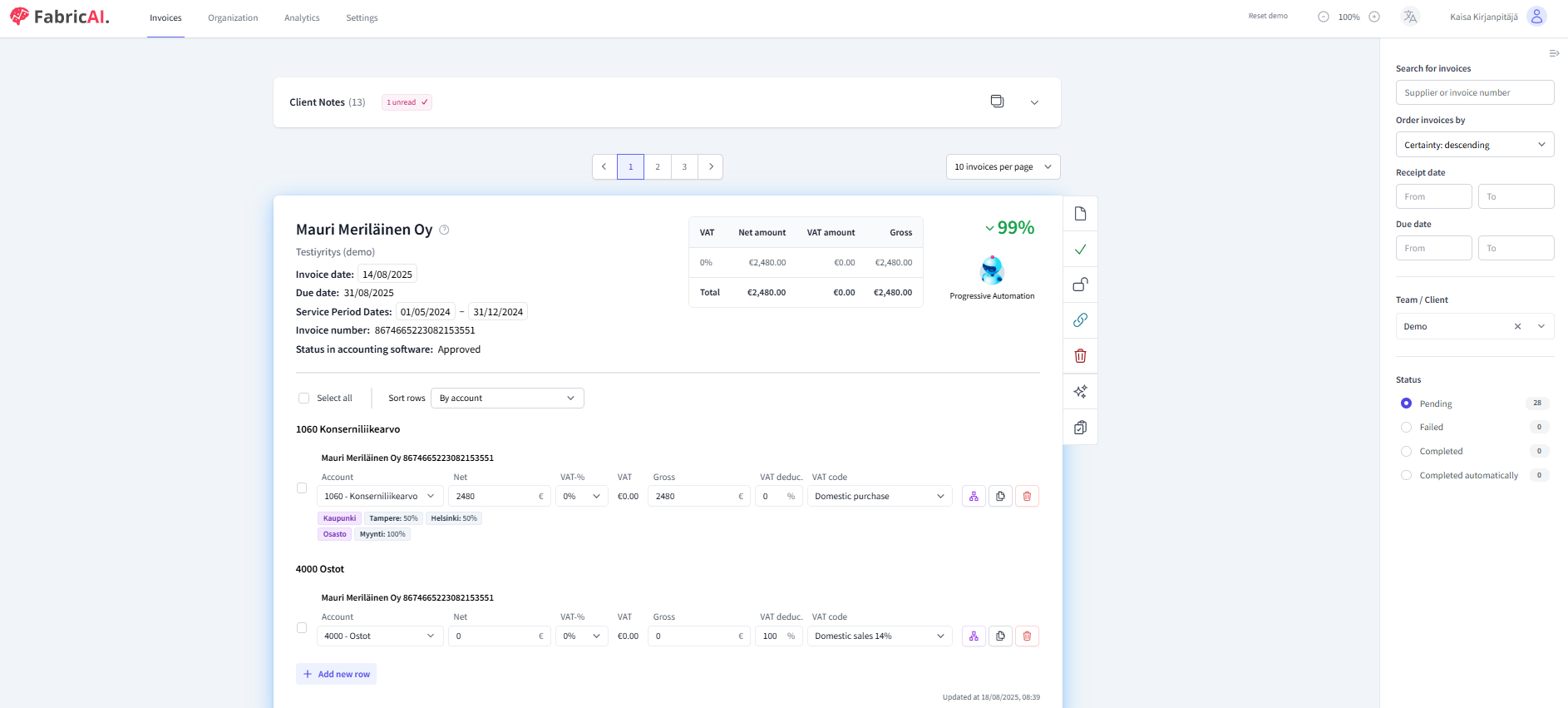
NOTE! If you select more than 100 clients at once, you will not see the Client notes at the top center for now. Additionally, using AI Controller mode is not currently included in FabricAI's analytics reports regarding the time spent processing invoices.
Target selector type
On December 18, 2025, an update was released to the FabricAI portal, allowing multiple teams or clients to be selected for processing at once in AI Controller mode. You can enable this feature by selecting "Target selector type" -> "Multi" under AI ontroller mode in the settings.
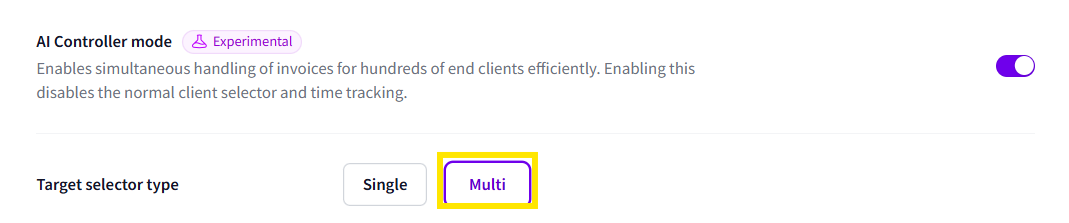
Additionally, in Ai controller mode, it is possible to filter only clients of a specific accounting program for processing at once.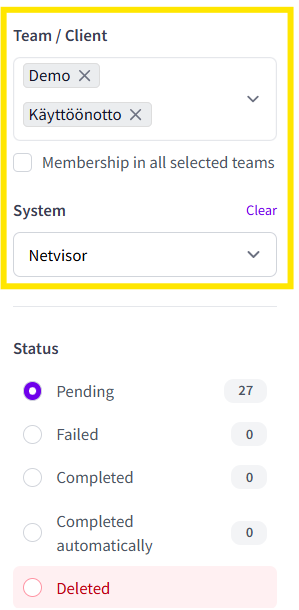
Did you find it helpful? Yes No
Send feedback