In the FabricAI portal, you may see "Amount to be checked" ("Tarkistettava summa") lines with a yellow background on some invoices. Such lines occur because the invoice supplier has created the invoice mathematically incorrectly, meaning the declared total amount of the purchase invoice and the total amount calculated through the purchase invoice lines do not match. Often, the amount of such a line is a cent or a few cents.

How are "amount to be checked" lines processed and by whom?
FabricAI's recommendation is that the FabricAI user should not touch such lines, at least when the amount is insignificant, e.g., a deviation of less than one euro. If the amount is significant, we recommend removing the invoice from FabricAI and recording it correctly in Hausvise.
However, due to technical reasons, FabricAI cannot create such lines in Hausvise, from 3.2.2025 onwards, such "amount to be checked" lines under one euro will be automatically set as part of the lowest line of the invoice when the invoice is posted from FabricAI to Hausvise.
Why does an invoice with an "amount to be checked" line under one euro end up in Hausvise arrivals and not go directly to the approval cycle?
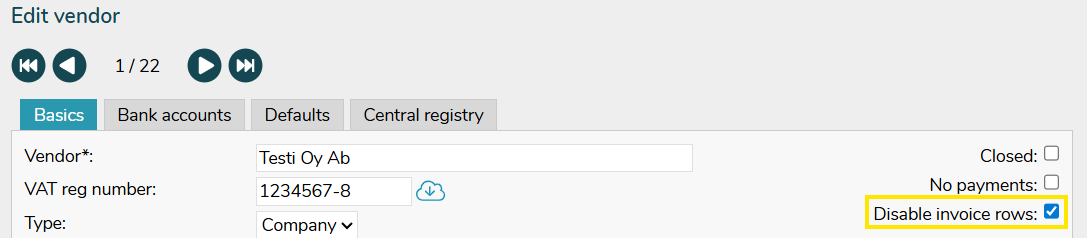
The issue may be due to the supplier not having 'disable invoice rows' active in Hausvise. You can activate the setting by going to Control Data > Suppliers in Hausvise, then select "Disable invoice rows".
You can read more detailed information about handling rounding differences in other accounting programs in this guide.
Did you find it helpful? Yes No
Send feedback